FDM vs Resin 3D Printer: Which Should You Buy?

Design and making background since school. Bambu Lab owner — regularly printing projects with my kids and practical fabrications around the house. 3D printing sits right where design thinking meets problem solving.
Just so you know, some links on this page are affiliate links. If you buy something via them, we get a small kickback. You don't pay more, but it helps toward filament and test prints.
FDM and resin 3D printers are both remarkable, but for completely different reasons. One turns your models into functional objects, brackets, enclosures, tools, replacement parts. The other produces surface detail that makes prints look injection-moulded. Get clear on which matters to you, and the decision makes itself.
Quick Picks
How FDM Works
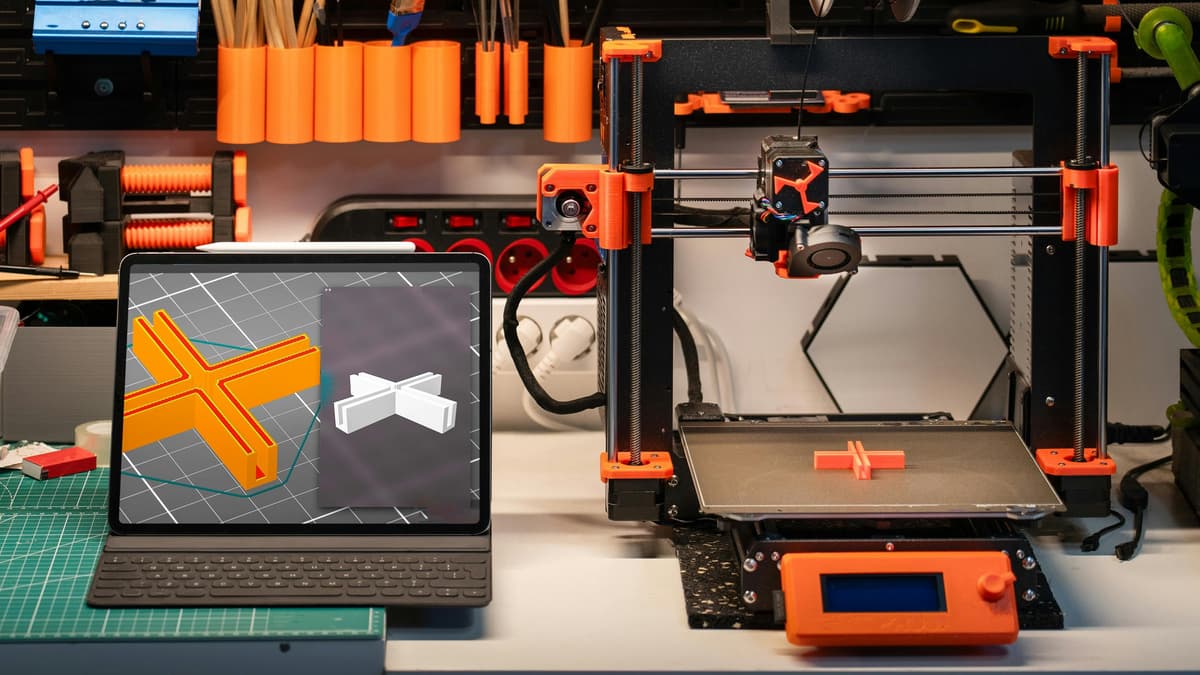
Fused Deposition Modelling melts plastic filament and deposits it layer by layer. A heated nozzle traces each layer's shape, building up the object from the bed upward. Think of it as a very precise hot glue gun moving in three dimensions, building geometry one stripe at a time.
The result is strong, practical, and printable in dozens of materials, PLA for general purpose, PETG for parts that need to survive real use, TPU for flexible components. FDM is why hobbyists can print replacement parts for broken appliances, custom enclosures for electronics projects, and functional objects they designed themselves.
How Resin Works
MSLA resin printers use UV light to cure liquid photopolymer resin. An LCD screen masks the UV source, exposing an entire layer at once. The build plate rises incrementally, each layer curing beneath it. This process produces dramatically finer detail because layer heights are measured in microns rather than tenths of a millimetre.
Detail: Resin Wins
Typical FDM layer heights run 0.1-0.2mm. Resin runs 0.01-0.05mm, often four to ten times finer. For miniatures, jewellery, dental models, or any print where surface quality matters as much as the shape, this difference is visible and significant. FDM layer lines are part of the aesthetic. Resin prints look like they came off a production line.
Strength: FDM Wins
Resin prints are brittle. They chip under impact and degrade in sunlight without post-processing. Filament materials like PETG and ABS flex under stress rather than snapping. For anything mechanical, brackets, hinges, clips, enclosures, FDM is the right choice. There's no competition.
Cost and Running Costs
Entry prices are similar. A decent beginner FDM printer starts around £169. A capable resin printer starts around £160. The running costs diverge from there. Filament costs £15-25/kg. Resin costs £25-50 per litre, and you'll also need IPA for washing prints, nitrile gloves, and a UV curing station. Resin has a meaningfully higher ongoing cost of ownership.
Mess and Safety
FDM is clean. PLA is non-toxic. Failed prints are dry waste. The printer runs, the model grows, you pull it off the bed when done.
Resin requires discipline from day one. Liquid resin is a skin irritant and potential allergen. You need nitrile gloves, proper ventilation, and a wash-and-cure station for post-processing. Uncured resin needs correct disposal, not down the drain. The r/3Dprinting community has no shortage of cautionary tales from people who skipped the safety steps. Read our resin safety guide before committing to a resin printer.
Beginner-Friendliness
Start with FDM. Learn to model, learn to slice, learn how layer adhesion works and what causes failed prints, without adding chemical safety protocols on top of everything else. The Creality Ender 3 V3 SE has auto-levelling that removes the most common frustration for beginners, a direct drive extruder that handles PLA, PETG, and TPU, and one of the largest support communities in 3D printing. Every problem you'll encounter has been solved and documented.
Once you understand how 3D printing works, adding a resin printer for detail work is a natural progression.
When to Choose Resin
If you're printing miniatures, tabletop gaming figures, jewellery, or detailed display pieces, the surface quality difference is not marginal. Resin prints at this scale look like professional production parts. FDM at the same scale requires significant sanding and priming to approach the same result.
The Anycubic Photon Mono 4 is the entry point that most resin beginners land on, capable output, fast cure times, and small enough to fit on a desk. The Elegoo Mars 4 Ultra gives you a larger build volume and faster print speeds if you're running projects at volume.
What You Can Actually Make
With FDM: Functional parts are where FDM excels. Replacement components for household appliances, custom electronics enclosures, cable management clips, wall brackets, tool holders, garden labels, custom jigs and fixtures. Hobbyist projects: dice towers, board game organisers, camera mounts, phone stands. Large-format items where resin's small build volume would require splitting into many sections. Cosplay armour and props where surface detail matters less than structural integrity and scale. Anything where you need parts that flex (TPU) or survive heat (PETG, ASA) or impact (PETG, ABS).
At 0.15-0.2mm layer height, FDM prints look good from normal viewing distance and are genuinely functional. Layer lines are part of the aesthetic at this scale, most people stop noticing them within a week. The limitation is resolution at small scales. Details below about 1mm often lose definition in FDM.
**With Resin:** Detail-critical work at small to medium scales. 28mm tabletop miniatures with visible facial features, fabric texture, and equipment detail that looks factory-made. Jewellery masters for lost-wax casting, resin holds a surface finish close enough to injection moulding for professional jewellers to use it for production. Busts and portrait pieces where surface smoothness matters. Small functional components requiring tight tolerances: lens covers, mechanical detail parts, prop replica components.
At 0.025-0.05mm layer height, a well-tuned resin print needs no sanding for smooth surfaces. That miniature you painted for eight hours deserves a base print that does it justice.
Software and Slicing Workflow
Both FDM and resin use slicing software to convert 3D model files (.STL or .3MF) into instructions the printer reads. The workflow is similar, import model, configure settings, export, but the software is different.
For FDM: Ultimaker Cura is the standard starting point. It's free, handles the Ender 3 series natively, and has preset profiles for most popular printers. Bambu Studio is the alternative with a cleaner interface. Both are free to use. Settings to learn first: layer height (0.2mm to start), print speed (start slower, speed up once you understand your printer), support structures (where and how much).
**For Resin:** Chitubox (free version available) and Lychee Slicer (freemium) are the standard tools. The critical additional step in resin slicing is support placement. Resin prints build upside-down from the build plate, most prints require carefully placed supports to prevent layers from detaching during printing. Automatic support generation works for simple models. Complex or detailed prints benefit from manually adjusted supports to protect fine details while being easy to remove.
Model files: Download from Thingiverse, Printables, and Cults3D, thousands of free models for both FDM and resin, from purely functional to highly detailed. Printables (Prusa's platform) has strong quality control and a particularly active community.
Your First Month: What to Expect
FDM first month: Expect 2-3 failed prints while you learn bed levelling, first layer adhesion, and how models behave. The Ender 3 V3 SE's automatic levelling removes the most common early frustration, but nothing replaces watching prints and understanding what's happening. PLA on a PEI surface, bed at 55-60°C, nozzle at 210°C is a reliable starting configuration. Start with simple objects, a calibration cube, then a useful functional part. Complexity comes after you understand the fundamentals.
**Resin first month:** Expect a steeper initial curve and a few messy moments. Resin requires personal protective equipment from session one: nitrile gloves and proper ventilation are not optional. Failed prints often stick to the FEP film at the bottom of the resin vat rather than the build plate, requiring careful removal. Exposure settings need calibration for each resin and printer combination, print a calibration matrix before tackling anything you care about. Once dialled in, resin is remarkably consistent. The learning investment pays off quickly when you see what it can produce.
Failure modes to know about. FDM prints fail most commonly from poor first-layer adhesion, the print lifts off the bed mid-way through and produces spaghetti. The fix is almost always bed levelling or bed temperature. Layer separation (delamination) indicates too-cool nozzle temperature or printing too fast. Stringing (fine plastic threads between model sections) means your retraction settings need adjustment.
Resin prints fail most commonly at supports, if supports are placed poorly or exposure settings are wrong, layers detach from the build plate and stick to the FEP. The second most common failure is FEP film damage from prints stuck to it; use a plastic scraper, never metal, when removing stuck prints. Both failure modes are recoverable with experience. You'll make the same mistakes most people make, learn from them faster than you expect, and within a month produce prints that would have seemed impossible before you started.
Questions Worth Asking First
Can you print miniatures on an FDM printer?
Yes, but the results are noticeably inferior at small scales. Layer lines are visible. You can sand and prime to improve the surface, but dedicated resin miniature printing produces detail that FDM cannot match without significant post-processing effort.
Can I have both?
Most serious makers end up with both. A budget FDM printer around £169 plus a budget resin printer around £160 covers almost every use case for under £350 total. Start with FDM to learn the fundamentals, add resin when you want its specific capabilities.
Which is faster?
FDM for large objects. Resin for small detailed objects. A resin printer cures an entire layer at once regardless of how much is on the build plate, so printing 20 miniatures takes roughly the same time as printing one. FDM build time scales with volume and complexity.
**What filament should I start with?**
PLA in any colour you like. It's the most forgiving filament: prints at 190-220°C nozzle temperature, adheres reliably to heated beds, doesn't require an enclosure, and doesn't produce fumes that need serious ventilation. Avoid PETG, ABS, or engineering filaments until you have consistent PLA results. For resin beginners, a grey or light-coloured water-washable resin makes it easier to spot layer issues during calibration, the water-washable formula also simplifies post-processing, though IPA is still the standard for thorough cleaning.
Do I need to design my own 3D models to use a printer?
Not at all. Thingiverse, Printables, and Cults3D host hundreds of thousands of free downloadable designs, functional parts, miniatures, display pieces, and everything between. Most beginners start exclusively with downloaded models. Learning 3D modelling (Fusion 360, Blender, TinkerCAD) opens up the real potential of the hobby, making exactly what you need, but it's not required to start making useful, satisfying things from day one.
How much space does each setup require?
FDM: The Ender 3 V3 SE footprint is about 40cm × 40cm, plus space for filament spools and finished prints. A well-ventilated room handles PLA fine; no dedicated ventilation system needed for standard use. Resin: The printer footprint is smaller (typically 25cm × 25cm), but you need adjacent workspace for washing (a container of IPA), curing (a UV station around 20cm × 20cm), and PPE storage. Resin requires a more organized workflow than FDM. A dedicated desk area of 60cm × 40cm handles a tidy resin setup comfortably.
What's the print quality difference for large objects?
FDM wins by default on large objects, most resin printers have build volumes under 20cm × 12cm × 25cm. Printing a large object in resin requires splitting it into sections and joining with superglue, which adds complexity and visible seams. For objects where full size matters more than surface detail, FDM is the practical choice. Resin shines at small to medium objects (typically under 15cm) where surface quality is visible, detail is critical, and the build volume constraint doesn't limit the design.
Running Both: The Hybrid Setup
Most makers who stick with the hobby beyond the first year end up owning both technologies. The combination covers almost every use case without compromise.
The practical division of labour: FDM handles structural parts, large objects, rapid prototyping, and everyday functional prints. Resin handles detail-critical work at small scales, miniatures, jewellery masters, display pieces, and components where surface finish is visible.
Cost of running both: A capable FDM printer starts around £170. A capable resin printer starts around £130. Adding a basic wash-and-cure station brings the resin setup to around £180. Total for both technologies: under £350. The combination covers print types that would each cost several hundred pounds from a commercial 3D printing service.
Workspace: An FDM printer needs a stable, level surface and a power socket. A resin printer needs the same plus ventilation, PPE storage, and a dedicated post-processing area. Plan for roughly 60×40cm of desk space per setup. Keep resin supplies isolated from FDM, uncured resin contaminating filament spools or print surfaces causes adhesion failures.
Noise and Practical Placement
FDM printers produce stepper motor hum and fan noise throughout the print. Modern printers with silent drivers (TMC2209, standard on most current machines) are quiet enough to run in a living room or study, roughly 45–50dB, comparable to a quiet fan. Older or budget machines with A4988 drivers are noticeably louder. Enclosed printers reduce noise further.
**Resin printers** are significantly quieter during printing. The loudest moment is the build plate lifting between layers, a brief mechanical sound every few seconds. The wash-and-cure station adds noise during post-processing, but only for a few minutes at a time.
Ventilation placement: FDM printing PLA needs only basic room ventilation, an open window is sufficient. Resin printing needs dedicated ventilation: a window with an exhaust fan, or a printer with an integrated carbon filter. Do not run a resin printer in a bedroom or fully enclosed room without active air extraction.
Year One Cost Comparison
Understanding total cost of ownership matters before committing to either technology.
| Cost Item | FDM (occasional) | FDM (regular) | Resin (occasional) | Resin (regular) |
|---|---|---|---|---|
| Printer | £170 | £350 | £130 | £180 |
| Materials (year) | £50 | £150 | £65 | £200 |
| Consumables | £12 | £35 | £50 | £100 |
| Post-processing equipment | £0 | £40 | £65 | £100 |
| Year one total | £232 | £575 | £310 | £580 |
FDM costs less for casual users because consumables are simpler: nozzles at £1–3 each versus FEP film, IPA, and nitrile gloves for resin. For regular printing, both technologies reach similar annual totals.
Upgrade Path
FDM: Start with a budget open-frame printer, learn the fundamentals, then move to an enclosed mid-range machine when you want to print ABS, ASA, or engineering filaments. Your slicer profiles and modelling skills transfer directly. The main upgrade drivers are print speed, enclosure for engineering filaments, and multi-material capability.
**Resin:** Start with a budget MSLA printer, learn the workflow, then upgrade to a larger-format or faster machine when batch volume justifies the cost. The main upgrade drivers are build volume (for larger prints) and print speed (for higher throughput). Your resin knowledge and support placement skills transfer directly.
When to add the second technology: When you find yourself wanting to make something your current printer physically cannot produce. FDM users hit this when they need miniature-quality detail. Resin users hit this when they need large functional parts. Most makers reach this point within 6–12 months.
The right printer is whichever matches what you actually want to make. Start with FDM, make things you are proud of, and add resin when you want the detail only it delivers. Both will run. That is the point.
What to Avoid
Buying a resin printer as your first printer. The detail is impressive, but the chemical safety requirements, post-processing workflow, and learning curve are a poor introduction to the hobby. Start with FDM, understand how 3D printing works, then add resin when you know exactly what you want from it.
Cheap resin with no brand reputation. Unknown resins have inconsistent cure times and unpredictable brittleness between batches. Anycubic Basic and Elegoo Standard are the reliable entry-level options, they behave predictably and are well-documented across printers.
Skipping PPE with resin printing. Uncured photopolymer resin is a skin sensitiser. Repeated exposure without nitrile gloves causes contact dermatitis in a significant percentage of regular users. The gloves are not optional. The ventilation is not optional.
Trying to tune an FDM printer to match resin detail. FDM resolution is limited by nozzle diameter and layer height. No amount of calibration changes what the physics allows. If miniature-quality detail is the goal, buy a resin printer.
What I’d Buy Today
**For a first printer:** The Creality Ender 3 V3 SE. *(Price when reviewed: ~£169 | Check Price on Amazon)* Auto-levelling removes the biggest beginner frustration, direct drive handles PLA, PETG, and TPU without modification, and the community support is unmatched. Start here, print for three months, and you’ll know whether you want resin alongside it.
For miniatures and detail work: The Anycubic Photon Mono 4 at around £160. The standard entry point for resin printing. Fast cure times, reliable output, small enough for a desk setup. Read the resin safety guide before your first session.
Ready to Buy?
Going FDM? Our [best 3D printer guide](/guides/best-3d-printer-uk) ranks the top machines by budget, from £170 to £500. If you want to stay under budget, the best 3D printer under £500 narrows it down to five proven picks.
Going resin? Our [best resin printer guide](/guides/best-resin-printer-uk) covers the top MSLA printers for miniatures, dental models, and jewellery casting.
What You'll Need With It

Premium PLA with industry-leading ±0.02mm precision guaranteed. Every spool measured and verified. Predictable, reliable behavior ideal for critical prints. Worth the premium when quality matters.
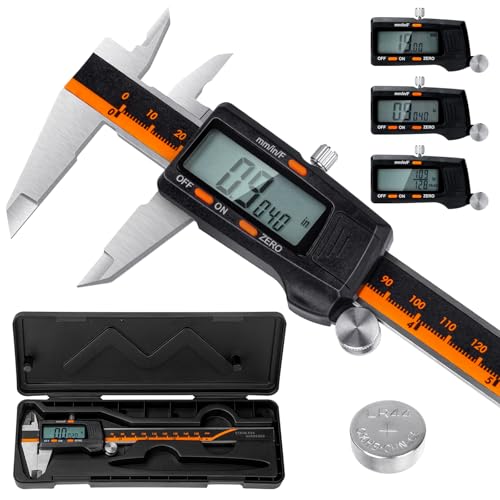
Laboratory-grade accuracy (0.01mm resolution, ±0.02mm accuracy) for measuring filament diameter, print dimensions, and calibration. Hardened stainless steel construction. Essential for proper calibration and quality control.
As an Amazon Associate, we earn from qualifying purchases.