Direct Drive vs Bowden Extruder: Which Is Better?

Design and making background since school. Bambu Lab owner — regularly printing projects with my kids and practical fabrications around the house. 3D printing sits right where design thinking meets problem solving.
Just so you know, some links on this page are affiliate links. If you buy something via them, we get a small kickback. You don't pay more, but it helps toward filament and test prints.
Direct drive or Bowden? The question comes up constantly on r/3Dprinting, and the honest answer is simpler than most discussions make it: if you want to print flexible filaments like TPU, you need direct drive. If you don't, either system handles everything you throw at it.
Quick Picks
Prices shown are approximate at time of review. Click "Check Price on Amazon" for current pricing.
How Bowden Works
In a Bowden setup, the extruder, the motor that grips and pushes filament, sits fixed on the printer frame. A PTFE tube runs from the extruder to the hotend on the print head.
Because the extruder isn't moving with the print head, the print head assembly is lighter. Less mass means less inertia, the head can accelerate and decelerate faster without vibration causing ringing artifacts in the print surface. This is why high-speed printers like the Creality K1 Max and Bambu Lab P1 series use direct drive on CoreXY motion systems: the lightweight moving carriage makes direct drive viable at high speed. The Bowden/direct drive trade-off primarily applies to cartesian machines.
The honest downside: that PTFE tube creates compliance. When the extruder pushes filament, there's a brief lag before the filament exits the nozzle because the tube allows slight flex. For rigid filaments, PLA, PETG, ASA, ABS, this is manageable with tuned retraction settings. For flexible filaments like TPU, the compliance is severe enough that the material buckles inside the tube instead of feeding cleanly.
Bowden retractions need to be longer (4–7mm versus 0.5–2mm on direct drive) and slower to prevent gaps and stringing. Getting this dialed in takes calibration time.
How Direct Drive Works
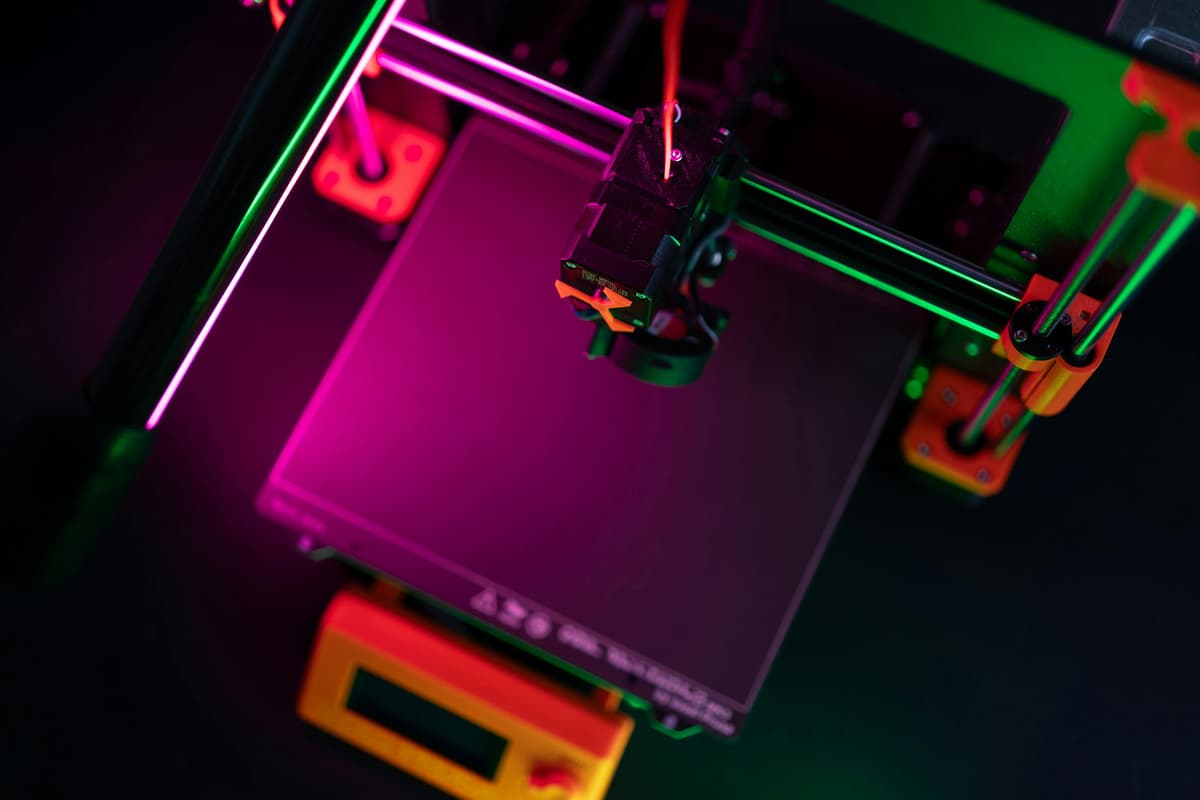
Direct drive mounts the extruder directly on the print head. The filament path from extruder to nozzle is a few centimeters at most.
That short, precise path means the extruder has near-instant control over filament movement. Retractions can be fast and short. Flexible materials, TPU, TPE, and flexible composites, feed cleanly because there's no long tube for them to compress and bind in.
Direct drive also handles exotic filaments more reliably. Wood-fill, metal-fill composites, and carbon-fiber reinforced materials benefit from more controlled feed, especially at slower speeds where the extruder is doing more precise work.
The honest downside: the print head is heavier. On cartesian printers (where the head moves in X and Y), extra mass means more inertia. Push the speed too high and you get ringing, those ripple patterns in the print surface near sharp corners. On budget Ender 3-style machines running Marlin firmware, a direct drive conversion will reduce your comfortable print speed or require input shaping (Klipper firmware) to compensate. Modern printers designed with direct drive from the start have this engineered in.
Material Compatibility: What Actually Matters
This is where the choice becomes clear for most makers.
Bowden handles without issue: PLA, PETG, ABS, ASA, most carbon-fiber composites at standard settings, and rigid filaments generally. For 80% of what most hobbyists print, Bowden is perfectly adequate.
Direct drive required for: TPU (thermoplastic polyurethane) and other flexible filaments, very soft composites like shore 85A and below, some high-flow specialty materials.
If you know you want to print phone cases, gaskets, hinges, wearable parts, or anything that needs to flex, buy a direct drive printer. If your projects are structural parts, decorative prints, miniatures, or functional components that don't need to bend, Bowden does the job.
The gray area: abrasive filaments with metal fill or carbon-fiber particles. These wear nozzles fast regardless of extruder type, but direct drive handles them with fewer feed issues. You'll need a hardened nozzle either way.
Speed: The Modern Picture
The speed argument is where this debate has changed most in recent years.
On older cartesian printers with stock firmware, Bowden was meaningfully faster because of the lighter print head. That trade-off still exists on budget machines, but high-speed printing has flipped the assumption for anyone spending above $300.
Modern printers, both Bowden and direct drive, use input shaping to compensate for resonance. The Creality K1 Max runs 600mm/s with direct drive. The Bambu Lab P2S runs 600mm/s with direct drive. The extruder system is no longer the speed-limiting factor on modern machines.
For a standard home printer running at 60–150mm/s, the speed difference between a well-tuned Bowden and a well-tuned direct drive machine is negligible. Don't let speed be the deciding factor unless you're buying specifically for throughput.
Bowden Retraction Calibration
If you have a Bowden printer and want consistent results, retraction settings are where the time goes.
Starting point: 5mm retraction distance at 45mm/s. From there, run a retraction calibration tower, a tall, thin object with varying retraction settings across its height, and identify where stringing stops without causing gaps or grinding.
Common failure modes: - Stringing that won't stop: usually a temperature issue, not retraction. Drop print temperature by 5°C before increasing retraction distance. - Gaps or under-extrusion after retractions: distance is too long, or speed is too fast. Reduce distance before speed. - Grinding sounds: the extruder is chewing through the filament. Reduce both distance and speed; check the filament path for any resistance.
The practical ceiling for Bowden retraction is around 7mm for standard PTFE setups. Beyond that, you're more likely to pull molten filament into the cold zone and cause a jam than to eliminate stringing. If you're at 7mm and still seeing strings, the problem is temperature and cooling calibration, not retraction.
Direct Drive Tuning
Direct drive makes retraction calibration much simpler. Starting point: 0.8–1.5mm at 35mm/s. Most direct drive printers need very little retraction because the short filament path gives precise control.
Where direct drive users go wrong: carrying over Bowden retraction values. A 5mm retraction on a direct drive system will pull the filament back into the cold zone almost every time, causing jams. If you've switched from a Bowden printer, reset retraction to 1mm and calibrate upward from there.
For flexible filaments: reduce retraction to near-zero (0.5mm or less). TPU's elasticity means it springs back after retraction anyway, high retraction values cause the material to bunch up inside the extruder.
Printing TPU: What Direct Drive Gets You
TPU is the material that makes flexible 3D printing genuinely useful. Phone cases, cable tidies, gaskets, wearable components, robot bumpers, all of these need to flex without breaking. Direct drive handles them reliably. On Bowden, it ranges from difficult to impossible depending on shore hardness.
TPU comes in different hardnesses on the Shore scale. Shore 95A is the most common, firm enough to hold shape, flexible enough to bend. Shore 85A and below gets progressively softer. 95A is printable on some Bowden setups with patience and reduced speed (15–25mm/s). Anything 85A or softer needs direct drive, full stop.
On a well-tuned direct drive printer, TPU prints at 35–45mm/s without drama. It comes off the bed cleanly, layers adhere well, and the finished part has that satisfying flexible quality. On Bowden, the failure mode is usually a jam 20 minutes into a two-hour print.
If your project list includes anything requiring flexibility, cross "Bowden-only printer" off the list before you start shopping.
Conversion: Switching After Purchase
Most popular Bowden printers have direct drive conversion kits available:
Ender 3 series: Creality Sprite Extruder, MicroSwiss NG, Bondtech DDX, $40–120 depending on kit quality. Installation takes 1–2 hours and is reversible. Adding direct drive to an Ender 3 V2 without Klipper will reduce your safe print speed by around 20%. Worth it for TPU; debatable for everything else.
CR-10 series: Similar options as the Ender 3, same speed trade-off.
Prusa MK4S: Already direct drive from the factory.
Bambu Lab printers: All use proprietary direct drive systems. Not user-modified.
After any conversion, reset your retraction settings before printing, the values that worked on Bowden will cause jams on direct drive. Not sure if conversion is worth it? Run the math against buying a printer designed with direct drive from the start. For most users, buying right the first time is cleaner than converting.
What to Avoid
Cheap unbranded PTFE tubing: Quality of the Bowden tube matters. Low-quality tubes have inconsistent inner diameters that cause feed problems. Capricorn PTFE tubing is the standard recommendation, consistent diameter, branded, about $8. The unbranded tubes bundled with cheap printers often work fine for months and then cause mysterious jams.
Unknown-brand direct drive conversion kits: There are dozens of conversions available for the Ender 3. The bad ones have flex in the mount that introduces the wobble you were trying to eliminate. Stick to Creality Sprite, MicroSwiss, or Bondtech, all three have verified community track records.
Running flexible filaments through a Bowden printer without modification: Some people claim you can print TPU through Bowden with slow speeds. Sometimes you can. But it requires 15–25mm/s, careful temperature control, and significant patience. If TPU is a meaningful part of your plans, the workaround isn't worth it.
Over-retraction on Bowden: New Bowden users often chase stringing with longer and longer retractions. Beyond about 7mm, you're more likely to grind the filament or cause a cold-zone jam than cure the stringing. Fix temperature and cooling first.
Making the Decision
The simplest version: buy based on what you're going to print in the first three months.
**Mostly PLA and PETG for functional parts and decorative prints?** Either system works. Buy whichever printer fits your budget and has the features you want, extruder type doesn't need to be the deciding factor.
Planning to print TPU, flexible cases, or wearable parts? Buy direct drive from the start. The Ender 3 V3 SE is the obvious entry point, direct drive as standard with auto bed leveling.
Want maximum versatility without compromise? Direct drive covers everything Bowden covers, plus flexible filaments. One less limitation to think about.
Common Questions
Can I print TPU on a Bowden printer at all? Shore 95A TPU is sometimes printable on Bowden setups at very slow speeds (15 to 25mm/s) with careful temperature control. The success rate is inconsistent and depends heavily on the specific printer and tube quality. Anything softer than 95A is effectively impossible on Bowden. If TPU is a meaningful part of your plans rather than an occasional experiment, buy direct drive from the start.
Does direct drive cause more ringing artifacts? On budget cartesian printers without input shaping, yes, the heavier print head produces visible ringing at speeds above 80 to 100mm/s. On modern printers with input shaping (Klipper firmware or factory-tuned acceleration), the difference is negligible. The Ender 3 V3 SE handles direct drive ringing well at its stock speed range.
Is Bowden more reliable long-term? Both systems are equally reliable when maintained. Bowden requires periodic PTFE tube replacement (the tube degrades with heat cycling, especially at the hotend connection). Direct drive requires occasional tension adjustment on the extruder gears. Neither is maintenance-free, and neither fails more often than the other in normal use.
Should I convert my Bowden printer to direct drive? Only if you specifically need TPU printing and your current printer handles everything else well. The conversion costs $40 to $120, takes 1 to 2 hours, and may reduce your comfortable print speed by 15 to 20 percent on cartesian machines. If your printer is otherwise due for replacement, buying a direct drive machine is usually cleaner than converting.
What about the Bambu Lab approach? Bambu Lab printers use direct drive on CoreXY motion systems with aggressive input shaping. The CoreXY design means the print head moves in X and Y without the bed moving, which changes the mass-on-gantry calculation. Direct drive on CoreXY is essentially free of the speed penalties that affect cartesian machines. This is why Bambu Lab, Voron, and other CoreXY designs default to direct drive.
Print Quality Comparison
The extruder type affects print quality in specific, measurable ways. Understanding these helps you set realistic expectations for each system.
Surface finish: At speeds below 80mm/s, both systems produce identical surface quality when properly tuned. Above 80mm/s on cartesian machines, Bowden produces slightly smoother surfaces because the lighter print head generates less vibration. On CoreXY machines, this difference disappears.
Retraction marks: Bowden systems are more prone to small blobs at retraction points, the filament compliance in the PTFE tube makes precise start-stop control harder. Direct drive produces cleaner retraction transitions because the short filament path responds immediately to extruder commands.
Bridging performance: Direct drive handles bridging (printing across open gaps) more reliably because the extruder can precisely control filament flow as the print head crosses unsupported spans. Bowden systems sometimes over-extrude at the start of bridges due to tube compliance releasing stored pressure.
Multi-color and multi-material: Direct drive is better suited for filament changes because the short path means purging requires less material. Bowden systems need longer purge sequences to clear the full tube length, wasting more filament per color change.
Maintenance and Longevity
Both systems need periodic attention. Here is what to expect over the first year of regular use.
Bowden maintenance schedule: - PTFE tube inspection every 3 months, look for discoloration at the hotend connection, which indicates heat degradation - Tube replacement every 6 to 12 months depending on print temperature (higher temps degrade PTFE faster) - Extruder gear tension check monthly, the spring-loaded arm on budget extruders loses tension over time - Coupler replacement as needed, the push-fit connectors that hold the PTFE tube wear out and allow tube movement, causing inconsistent extrusion
Direct drive maintenance schedule: - Extruder gear cleaning every 2 to 3 months, filament dust accumulates between the drive gear teeth - Tension adjustment quarterly, too tight grinds filament, too loose causes slipping - Hotend connection inspection every 6 months, the short heat break between extruder and nozzle can develop micro-clogs with certain filaments - Nozzle replacement same as Bowden, every 500 to 1000 print hours for brass, longer for hardened steel
Cost of maintenance: Both systems cost roughly the same to maintain. Bowden spends more on tubes and couplers. Direct drive spends more on occasional gear replacements. Neither exceeds 20 to 30 dollars per year for a single printer in regular use.
The extruder debate has a clear answer for anyone printing flexible materials. For everyone else, pick the printer that suits your budget and build volume, and learn what your extruder can do. By your fifth spool, retraction calibration will feel like the least interesting variable, because you will be focused on what you are actually making.
As an Amazon Associate, we earn from qualifying purchases.