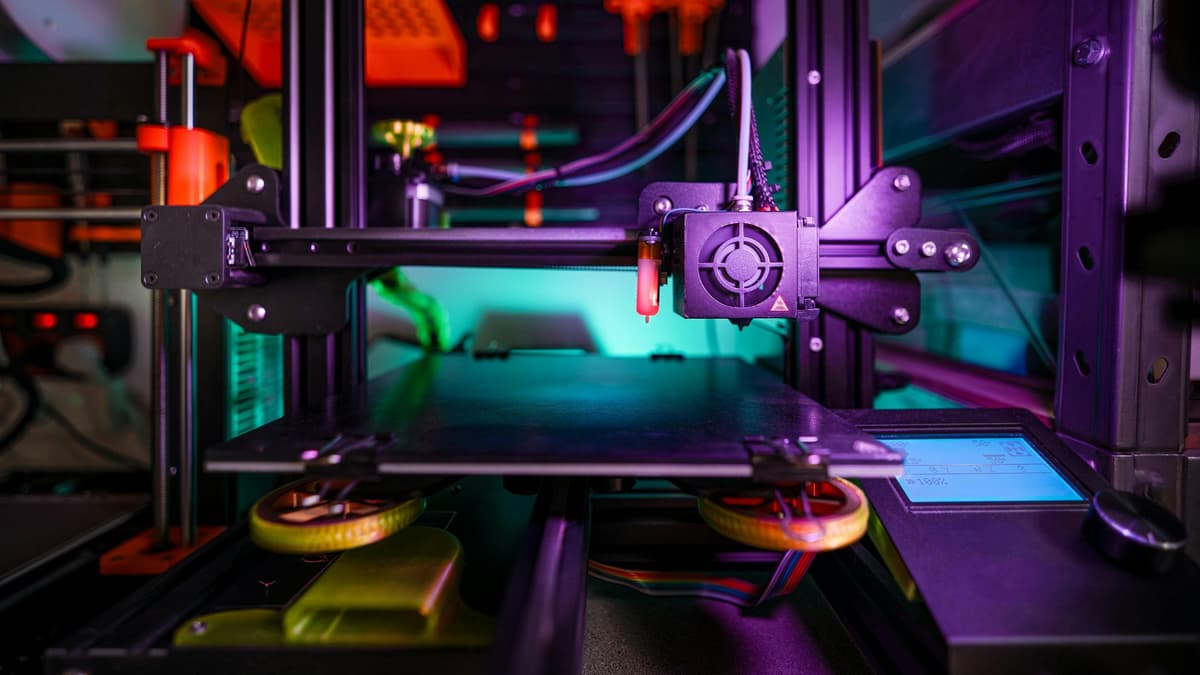
Best 3D Printer 2026: Complete US Buying Guide

Design and making background since school. Bambu Lab owner — regularly printing projects with my kids and practical fabrications around the house. 3D printing sits right where design thinking meets problem solving.
Just so you know, some links on this page are affiliate links. If you buy something via them, we get a small kickback. You don't pay more, but it helps toward filament and test prints.
A 3D printer is what turns an idea into a physical object you can hold, test, and improve. At every price point right now, the hardware has gotten genuinely good, what separates machines is how much you enjoy the process of getting there. Here is what the market looks like and where your money works hardest.
Quick Picks
Prices shown are approximate at time of review. Click "Check Price on Amazon" for current pricing.
Not sure which to pick? Take our free quiz, it matches you to a printer based on what you actually want to make.
Around $150–200: Entry Level
Creality Ender 3 V3 SE
The Creality Ender 3 V3 SE dominates this range for good reason. Auto bed leveling via CR Touch, Sprite direct drive extruder, and the largest community in 3D printing. Build volume is 220×220×250mm. Print speed tops out around 250mm/s, though you'll run slower for quality work. Every problem you'll encounter has a YouTube solution.
You'll need to assemble it (about 1–2 hours) and spend time calibrating. This isn't a downside, you learn how the printer works, which matters when things go wrong.
*(Price when reviewed: ~$199 | Check Price on Amazon)*
Anycubic Kobra 2 Neo
The Anycubic Kobra 2 Neo is the cheapest route to a capable machine. Same 220×220×250mm build volume, auto leveling, and 250mm/s speeds as the Ender 3. Smaller community and slightly less refined extruder, but a solid first printer if you want to test whether you enjoy the hobby before committing more.
*(Price when reviewed: ~$159 | Check Price on Amazon)*
Around $250–400: Features, Speed, and Multi-Color
Creality K2 SE
The Creality K2 SE is where multi-color printing becomes affordable. 500mm/s speeds, die-cast aluminum frame, and the CFS (Color Filament System) handles automatic filament changes mid-print. Connect up to 4 CFS units for 16-color prints. Nothing else comes close for multi-color capability at this price.
*(Price when reviewed: ~$249 | Check Price on Amazon)*
Sovol SV06 ACE (~$249)
The Sovol SV06 ACE runs Klipper firmware out of the box, more tuning options than stock Marlin-based printers. Built-in camera for remote monitoring. All-metal hotend handles PETG and TPU without upgrades. Best for tinkerers who want to understand their machine.
(Price when reviewed: ~$249 | Check Price on Amazon)
Flashforge Adventurer 5M (~$279)
The Flashforge Adventurer 5M is fully enclosed out of the box. That matters more than most people realize, enclosure keeps temperatures consistent, reduces warping, and is substantially safer around children or pets. 600mm/s speeds, quick-swap nozzle system. One of the quietest printers available. If the printer will live in a shared space, the enclosed design is worth the premium.
*(Price when reviewed: ~$279 | Check Price on Amazon)*
AnkerMake M5C
The AnkerMake M5C brings Anker's engineering reliability to 3D printing. 500mm/s speeds, AI camera monitoring, and the build quality you expect from a consumer electronics brand. Good manufacturer support and consistent performance make this the pragmatist's mid-range pick.
*(Price when reviewed: ~$399 | Check Price on Amazon)*
Around $500+: Reliability Premium
Creality K1 Max
The Creality K1 Max delivers 300×300×300mm build volume with 600mm/s speeds and an enclosed chamber. Print large functional parts without splitting models across multiple print jobs. If build volume is your limiting constraint, this is where to go.
*(Price when reviewed: ~$499 | Check Price on Amazon)*
Prusa MK4S
The Prusa MK4S is the reliability benchmark. Load-cell-based calibration eliminates manual bed leveling entirely. Real-time print feedback. Lifetime technical support with actual engineers responding, not a support queue. Build volume is 250×210×220mm, not the largest, but the consistency rate is what you're paying for.
*(Price when reviewed: ~$779 | Check Price on Amazon)*
New in April 2026: Bambu Lab X2D (~$649)
The Bambu Lab X2D launched in April 2026 and introduces dual nozzles to Bambu's lineup at a price that undercuts most dual-extrusion options significantly. One direct-drive extruder handles the main material. A second Bowden-fed extruder handles supports or a second color. A nozzle lifter raises the inactive nozzle out of the print path on each switch, which is the engineering detail that separates it from cheaper dual-nozzle attempts.
The practical benefit is soluble or PVA supports that peel off cleanly without leaving marks. If you print complex overhangs, brackets, or anything with enclosed cavities, this removes the single most frustrating part of FDM printing.
Active chamber heating to 65°C with a 300°C nozzle ceiling opens up ABS, ASA, and Nylon without a separate enclosure upgrade. The spec sheet reads like a machine twice the price.
The catch for this guide: the X2D is not on Amazon. It is sold through Bambu Lab's own store, Best Buy, and Micro Center. If Amazon is your preference, the Prusa MK4S is still the reliability pick. If you are comfortable buying direct, the X2D (or the Combo with AMS 2 Pro) is probably the most capable printer in this price bracket launched in the last 12 months.
FDM vs Resin
Everything above covers FDM (filament) printers, the right starting point for most makers. Resin printers like the Anycubic Photon Mono 4 offer incredible detail for miniatures and jewelry, but require more post-processing, dedicated ventilation, and chemical handling. Start with FDM unless you specifically need the surface detail that only resin delivers.
See our [FDM vs resin guide](/guides/fdm-vs-resin-printer-us) for the full comparison.
Total Cost of Getting Started
| Item | Budget Tier (~$200) | Mid Tier (~$300) |
|---|---|---|
| Printer | $159–199 | $249–399 |
| PLA filament (1kg) | $18–22 | $18–22 |
| Scraper | $5–8 | $0 (often included) |
| Flush cutters | $8–12 | $8–12 |
| IPA for bed cleaning | $6–10 | $6–10 |
| MicroSD card | $7 | $0 (WiFi) |
| Month 1 total | $200–260 | $280–450 |
| Monthly running cost | $15–25 | $15–25 |
Running costs are mostly filament. One kg of PLA prints roughly 100–150 small objects or 10–20 larger ones. Electricity adds about $2–4/month at US average rates.
Your First Month
| Week | What Happens | What You Learn |
|---|---|---|
| 1 | Assembly, first successful print, first failed print | Bed leveling, Z-offset tuning |
| 2 | Settings experiments, downloading from Thingiverse | Layer height vs speed tradeoffs |
| 3 | Understanding failure causes, results improving | Temperature, adhesion, retraction |
| 4 | Prints you're actually proud of | Slicer confidence, support placement |
Common First Problems
| Problem | Cause | Fix |
|---|---|---|
| Won't stick to bed | Dirty surface or bad level | Clean with IPA, re-level, adjust Z-offset closer |
| Spaghetti print | First layer failed mid-print | Better adhesion, add brim in slicer |
| Stringing | Retraction too low, temp too high | Enable retraction, drop temp 5°C |
| Layer shifting | Loose belt or too-fast speed | Tighten belts, reduce print speed |
| Warping at corners | Bed too cold or drafts | Raise bed temp, eliminate drafts |
Slicer Software (All Free)
The slicer converts your 3D model into printer instructions. You need one before your first print.
Cura: The standard starting point. Works with every printer, huge community, default profiles for most machines. Most YouTube tutorials reference Cura settings.
Bambu Studio: Required for Bambu Lab printers; also works with others. Cleaner interface than Cura.
PrusaSlicer: Open source, more advanced features. The choice for Prusa owners and experienced users who want more control.
Start with Cura unless you buy a Bambu. The default profile for your specific printer handles 80% of what you need.
Where to Find Things to Print
You don't need to design your own models to start:
- Thingiverse: Largest free library, search anything - Printables: Prusa's platform, higher quality curation - MyMiniFactory: Mix of free and paid, tested designs
Start with the Benchy, the standard 3D printing benchmark boat. Every maker prints one first. It tests overhangs, bridges, small details, and cooling. Compare yours to reference photos to spot print quality issues.
Materials to Start With
PLA in any color you like. It prints at 190–220°C nozzle temperature, adheres reliably to heated beds at 55–60°C, doesn't require an enclosure, and doesn't produce fumes that need serious ventilation. The Amazon Basics PLA (~$19/kg) is consistent and widely available.
Avoid PETG, ABS, or engineering filaments until you have consistent PLA results. Each new material introduces new calibration variables, temperature, retraction, bed adhesion, cooling. Learn one at a time. When you're ready to graduate, PETG is the natural next step, tougher than PLA, handles moisture and heat better, and doesn't require an enclosure. See our [filament comparison guide](/guides/pla-vs-petg-vs-abs-us) for the full breakdown.
FDM vs Resin: Which Type of Printer?
Everything in this guide covers FDM (filament) printers, the right starting point for the vast majority of makers. Resin printers like the Anycubic Photon Mono 4 produce incredible surface detail for miniatures and jewelry, but they require ventilation, chemical handling (nitrile gloves every session), and a dedicated wash-and-cure workflow. Start with FDM unless you specifically need fine detail for tabletop miniatures or jewelry work.
Most serious makers end up owning both eventually. An FDM printer for functional parts and large objects, a resin printer for detail-critical small-scale work. Start with FDM, add resin when you know you need it. See our [FDM vs resin guide](/guides/fdm-vs-resin-printer-us) for the full comparison.
Storage and Maintenance
PLA absorbs moisture from the air, which degrades print quality over time, wet filament produces popping sounds, rough surfaces, and weak layer adhesion. Invest in basic filament storage:
- A dry box ($10–15) with silica gel desiccant packs - Or a filament dehydrator ($30–60) if you're printing weekly - Vacuum bags ($1–2 per bag) for long-term storage of open spools
Stock parts to keep on hand after your first month: five spare nozzles ($5–10 total, nozzles wear, especially with filled filaments), a brass wire brush for cleaning, and IPA (isopropyl alcohol) for bed cleaning.
Common Questions
Do I need to design my own models? Not at all. Thingiverse, Printables, and Cults3D host hundreds of thousands of free downloadable designs, functional parts, miniatures, display pieces. Most beginners start exclusively with downloaded models. Learning 3D modeling (Fusion 360, Blender, TinkerCAD) opens up the real potential of the hobby, making exactly what you need, but it's not required.
How much space does a 3D printer need? The Ender 3 V3 SE footprint is about 16×16 inches, plus room for filament spools and finished prints. A desk or shelf is fine. You don't need a workshop, just a stable, level surface and access to a power outlet. Most printers run fine in a living room or bedroom; PLA doesn't produce fumes that need special ventilation.
How loud are 3D printers? Varies widely. Budget printers like the Ender 3 produce moderate fan and motor noise, audible in the same room but not disruptive. Enclosed printers like the Adventurer 5M and Bambu Lab machines are significantly quieter. If the printer will live in a bedroom or shared space, factor noise into your decision.
What's the actual print quality like? At 0.2mm layer height (the standard starting point), FDM prints look good from arm's length. Layer lines are visible up close but not distracting. At 0.12mm layer height, detail improves noticeably but print time roughly doubles. For most functional prints, phone stands, cable clips, brackets, 0.2mm is perfectly fine. For display pieces or detailed models, drop to 0.12–0.16mm.
Can I make money with a 3D printer? Some people do, selling custom parts on Etsy, printing prototypes for local businesses, or providing 3D printing services. But treat it as a hobby first. The learning curve means your first months are investment, not return. Once you're consistently producing quality prints, monetization is possible but competitive.
What Actually Matters
Print quality differences between a $200 and $600 machine are smaller than you'd expect. A skilled operator on an Ender 3 produces results matching machines three times the price. What actually separates them is consistency, setup time, and how much debugging you're willing to do.
You want to learn: Ender 3 V3 SE. Largest community worldwide, most tutorials, lowest upfront risk.
You want minimal setup: Flashforge Adventurer 5M. Enclosed, quick-start, consistent results.
For help getting started after purchase, the 3D printer setup guide US walks through the full process.
You want multi-color: Creality K2 SE. Cheapest automatic color-change capability.
You want reliability: Prusa MK4S. Higher cost, lower frustration rate, better support.
Upgrades Worth Considering
Once you have 20 to 30 successful prints, certain upgrades pay for themselves immediately.
Auto bed leveling (if your printer lacks it): A BLTouch or CR Touch probe ($30 to 40) eliminates the most common beginner frustration. The probe maps your bed surface and compensates for imperfections automatically. If your printer already has auto leveling (Ender 3 V3 SE, Adventurer 5M), skip this.
For a focused look at beginner-friendly options specifically, the best 3D printers for beginners US guide narrows it down.
PEI spring steel bed: Prints stick when hot, release cleanly when cool. No more fighting with adhesion or damaging prints during removal. About $15 to 25 for most bed sizes. The single best quality-of-life upgrade for printers shipping with glass or buildtak surfaces.
Hardened steel nozzle: If you plan to print carbon fiber, wood-fill, or glow-in-the-dark filaments, the abrasive particles in these materials destroy brass nozzles within hours. A hardened steel nozzle ($8 to 15) lasts months with abrasive filaments. The trade-off is slightly less thermal conductivity, which means marginally slower maximum speeds. Not necessary if you only print PLA and PETG.
**Filament dryer:** PLA absorbs moisture from the air, which causes popping, stringing, and weak layers. A basic filament dryer ($30 to 50) restores wet filament and keeps active spools dry during printing. Worth it if you live in a humid climate or print less than weekly (giving filament time to absorb moisture between sessions).
What not to upgrade: Resist the urge to upgrade everything at once. The stock configuration of any printer in this guide produces good results when properly calibrated. Upgrades should solve specific problems you have actually experienced, not theoretical problems you read about online.
Safety Considerations
FDM printing is generally safe, but a few precautions prevent problems.
Ventilation: PLA produces minimal fumes, but printing in a completely sealed room for extended periods is not ideal. An open window or basic room ventilation is sufficient. ABS and ASA require active ventilation or an enclosure with a carbon filter. Do not print ABS in a bedroom.
Fire safety: 3D printers run unattended for hours. Use a printer with thermal runaway protection (all modern printers in this guide have it). Place the printer on a non-flammable surface. Do not leave a printer running overnight in the first few weeks until you are confident it operates reliably. A smoke detector in the same room is sensible.
Electrical: Use the power supply that ships with the printer. Budget aftermarket power supplies are a common source of problems. Ensure the printer is plugged into a grounded outlet, not a daisy chain of extension cords.
For the under-$500 tier specifically, the best 3D printers under $500 US covers the top options at this price point.
Children and pets: Heated beds reach 60 to 100 degrees Celsius. Nozzles reach 200 to 260 degrees Celsius. Exposed printers (Ender 3 series) need supervision around children and pets. Enclosed printers (Adventurer 5M, K1 Max) mitigate this risk significantly.
Pick the one that fits how you work. Buy it. Print the Benchy, calibrate your first layer, make something useful. By your tenth print you will have opinions about layer heights and bed adhesion you never expected to have. That is the point of this hobby.
What You'll Need With It

Premium PLA with industry-leading ±0.02mm precision guaranteed. Every spool measured and verified. Predictable, reliable behavior ideal for critical prints. Worth the premium when quality matters.

360° all-round heating filament dryer with dual internal heating plates and built-in fan. Heats to 70°C. Touch screen displays temperature and humidity. Feed-through design allows printing while drying. Fixes moisture issues causing stringing and weak layers.
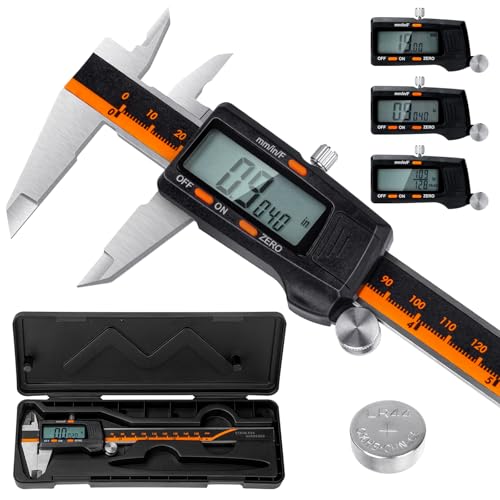
Laboratory-grade accuracy (0.01mm resolution, ±0.02mm accuracy) for measuring filament diameter, print dimensions, and calibration. Hardened stainless steel construction. Essential for proper calibration and quality control.
As an Amazon Associate, we earn from qualifying purchases.