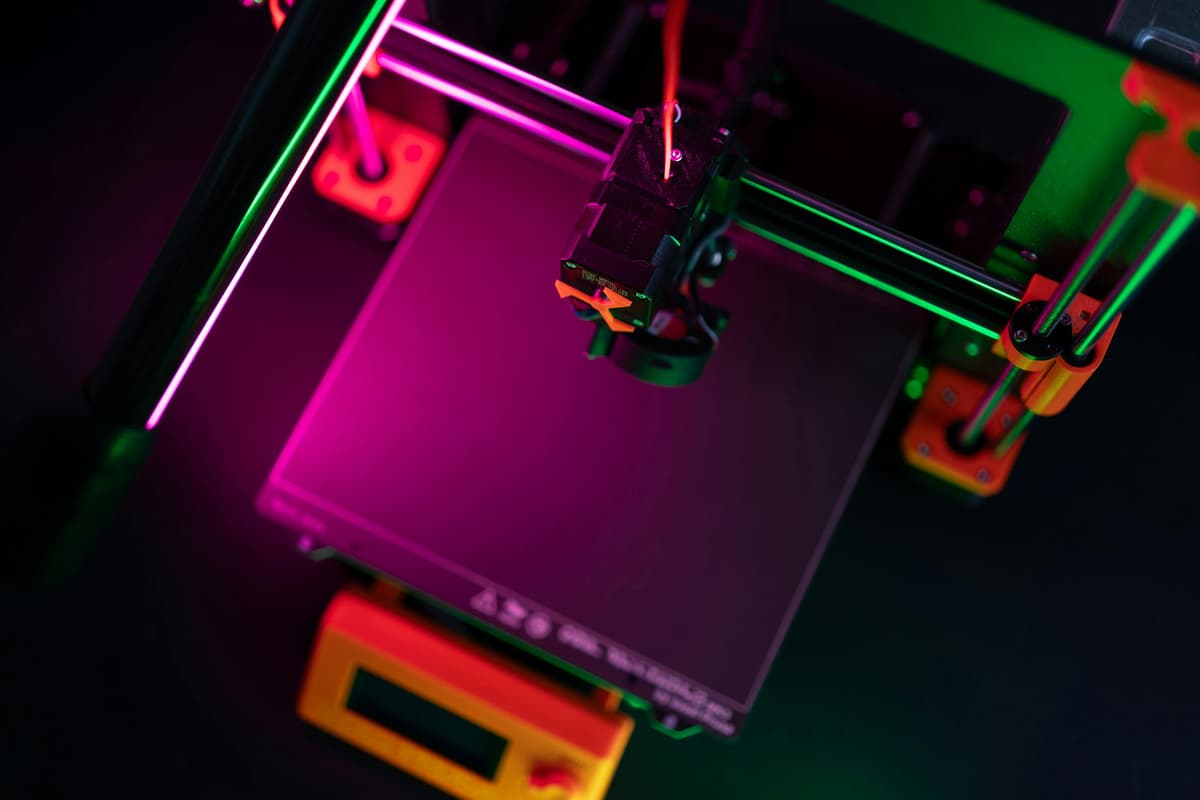
Bambu Lab A1 Mini vs Creality Ender 3 V3 SE: Which Should You Buy?

Design and making background since school. Bambu Lab owner — regularly printing projects with my kids and practical fabrications around the house. 3D printing sits right where design thinking meets problem solving.
Just so you know, some links on this page are affiliate links. If you buy something via them, we get a small kickback. You don't pay more, but it helps toward filament and test prints.
Buy the **Bambu Lab A1 Mini. That's the short version, and for most people reading this in 2026, it's the right answer. Faster prints, easier setup, better software, and the gap in price between the two has narrowed enough that the case for the Ender 3 V3 SE* is almost entirely about what you want to learn, not what you want to make*. If you're choosing between these two specifically, you're in a good position: both are capable machines at honest prices, and neither will disappoint you in the first year.
There's one clear exception: if you want to understand how 3D printers actually work, the mechanics, the calibration, the troubleshooting, and the tinkering, the Ender 3 is still the better teacher. The community, the upgrade path, and the openness of the platform are hard to match. Read on for who each machine actually suits and when the extra cost is or isn't worth it.
---
Quick Picks
---
Why This Comparison Matters
The Ender 3 V3 SE has been the default beginner recommendation for years. It's cheap, reliable enough, and has the most comprehensive community of any 3D printer, there's a YouTube video and a Reddit thread for every problem you'll ever hit. It's earned that reputation.
The Bambu Lab A1 Mini arrived and challenged that position directly. It costs around £130 more, prints at similar speeds to Bambu's more expensive machines, and its slicer (Bambu Studio) is genuinely better than anything Creality ships. The r/3Dprinting consensus has shifted. The A1 Mini is now the most-recommended beginner printer in many threads.
But the Ender 3 still sells for a reason, and it's not just price. Understanding why takes looking at what each machine actually is.
This is also a comparison with a clear price gap, around £170 vs around £299. That £130 difference is real money, and for some buyers it changes the decision entirely regardless of which machine is technically better. I'll be direct about when each budget makes sense rather than just picking the more expensive option.
---
The Bambu Lab A1 Mini
The A1 Mini is built on a different philosophy to the Ender 3. Where Creality optimised for low price and hackability, Bambu optimised for experience. From the moment you unbox it, fully assembled, calibrated with a quick automatic routine, first print running in under 20 minutes, the machine communicates that it was designed to be used, not configured.
Print speeds up to 500mm/s put it in a completely different bracket to the Ender 3's 250mm/s ceiling. In practice you'll print closer to 200-300mm/s for quality work, but even at those speeds the A1 Mini finishes prints faster than the Ender 3 at its best. A print that takes 3 hours on the Ender 3 takes around 90 minutes on the A1 Mini at comparable quality.
The AMS Lite compatibility is what separates it furthest from the Ender 3. Add the AMS Lite (around £80 separate, or buy the Combo version with it included from the start) and you have a 4-colour printer. No other machine at this price can do that out of the box. For anyone interested in multi-colour prints from day one, the A1 Mini is the only sensible choice in this price range.
The slicer deserves more attention than it usually gets in these comparisons. Bambu Studio is genuinely good software. Colour assignment for multi-colour prints is visual and straightforward. Support generation is smart. Print profiles are calibrated for Bambu machines rather than being generic templates. If you've ever struggled through Cura's interface to get a reliable print profile, Bambu Studio feels like a different generation of tool.
Who this is right for: Anyone who wants to start making things immediately rather than learning how printers work. In practice this is most people, even hobbyists who are interested in the technology usually care more about output than process once they've been printing for a few months. Gifts, household items, cosplay props, gaming terrain, phone accessories, anything where the output matters more than understanding the process. Also the right choice if your time is limited: the A1 Mini needs less babysitting per print session than the Ender 3.
The honest limitation: The 180x180x180mm build volume is genuinely restrictive. Larger items, drone frames, cosplay armour pieces, full-size keyboard cases, won't fit. If your projects trend large, this matters. Also: the Bambu ecosystem has real lock-in. Bambu Studio is good but proprietary. AMS is Bambu-only. If you want to heavily mod or hack your printer, the A1 Mini resists that more than the Ender 3.
Check the A1 Mini price at Bambu Lab UK
---
The Creality Ender 3 V3 SE
The Ender 3 V3 SE is a meaningfully better printer than the V2 generation that built the Ender 3's reputation. The CR Touch auto-levelling works properly, you don't spend 20 minutes manually adjusting bed screws on each print. The sprite direct drive extruder handles PLA, PETG, and TPU without the feeding issues that plagued earlier Bowden-drive Ender 3s. The build volume is a genuinely useful 220x220x250mm.
What the spec sheet doesn't capture is why so many people still recommend it in 2026: the community. There are more solved problems, more upgrade guides, more slicing profiles, and more YouTube tutorials for the Ender 3 family than any other consumer printer. When something goes wrong, and it will, you will find the answer. That's not true of every budget printer.
The V3 SE also responds well to upgrades. A direct drive upgrade, a hardened nozzle, an enclosure conversion, the community has documented all of it. If you're the kind of person who enjoys improving a machine over time, the Ender 3 rewards that investment in a way the locked-down Bambu ecosystem doesn't.
One underrated aspect of the Ender 3 community: the Printables and Thingiverse libraries have enormous amounts of content specifically tested on Ender 3 machines. Calibration prints, slicer profiles, upgrade part files, all documented for the exact machine you're running. For someone learning independently without a maker friend to ask, this ecosystem has real value.
Who this is right for: People who want to understand 3D printing, not just use it. Students, engineers, makers who like the process as much as the output. Also anyone on a tighter budget, £170 is genuinely accessible in a way £299 isn't for everyone. If you're buying a printer for a teenager or as a household experiment, the Ender 3 makes the lower-stakes choice.
The honest limitation: The 250mm/s print speed cap is real. The Ender 3 takes longer. It needs more attention. The slicer experience (Cura or Creality Print) is functional but not as polished as Bambu Studio. First-time users will have more failed prints in the first two weeks than they would on the A1 Mini. That's the trade-off for learning how things work.
Check the Ender 3 V3 SE price on Amazon
---
Head-to-Head
| Dimension | Bambu A1 Mini | Ender 3 V3 SE | Winner |
|---|---|---|---|
| Print speed | 500mm/s max | 250mm/s max | A1 Mini |
| Build volume | 180x180x180mm | 220x220x250mm | Ender 3 |
| Ease of setup | Under 20 mins, auto-calibrates | 30-45 mins, more steps | A1 Mini |
| Slicer quality | Bambu Studio (excellent) | Creality Print / Cura (good) | A1 Mini |
| Community support | Growing but smaller | Largest of any printer | Ender 3 |
| Multi-colour | AMS Lite (4 colours, add-on) | Not supported | A1 Mini |
| Upgradability | Limited (proprietary) | Extensive (open community) | Ender 3 |
| Failed prints (first month) | Low | Moderate | A1 Mini |
| Long-term learning value | Lower | Higher | Ender 3 |
---
Who Should Buy Which
Buy the Bambu Lab A1 Mini if: - You want to start making things in the first week, not learning printer mechanics - You're interested in multi-colour printing (add AMS Lite) - Your prints are typically small to medium-sized (under 180mm in any dimension) - You don't expect to heavily mod or upgrade the machine - Time matters, you have a limited window to actually print things
Buy the Creality Ender 3 V3 SE if: - You want to genuinely understand how 3D printing works, troubleshooting, calibration, the mechanics - Budget is a real constraint and £130 is a meaningful difference - You plan to modify and upgrade your printer over time - You want a larger build volume for bigger projects - You're buying for a student, teenager, or educational setting where learning the process is the point
Consider both before buying anything: Print a list of the five things you actually want to make in the first month. Then check the dimensions. If any item exceeds 180mm in a single dimension, the A1 Mini's build volume immediately rules it out and the Ender 3 becomes the only candidate in this price bracket (or you should be looking at the Creality K2 SE instead).
Consider neither if: You want to print ABS or ASA reliably. Both are open-frame printers without an enclosed chamber. ABS warps in anything but a very controlled environment. For engineering materials, look at the Bambu P1S (enclosed) or Flashforge Adventurer 5M.
---
The Honest Case Against Each
Against the A1 Mini: The price is real. At around £299, you're paying a significant premium over the Ender 3 for convenience and speed. If you're buying a first printer to see if you'll enjoy 3D printing, not sure yet whether you'll use it, that's a lot to commit. The A1 Mini is excellent. But if there's a real chance it ends up collecting dust after three months, the Ender 3 is a lower-risk test. And the 180mm build cube genuinely limits what you can make.
Against the Ender 3 V3 SE: The Ender 3's reputation was built on the V1 and V2, which were remarkable value for their time. The V3 SE is meaningfully better than those machines. The V3 SE is better in almost every measurable way. But the honest truth is that someone starting 3D printing today will have a noticeably better experience on the A1 Mini in the first month. More successful prints, less frustration, faster output. If your goal is to make things rather than learn how printers work, the Ender 3's strengths are irrelevant to you.
---
FAQ
Is the Bambu A1 Mini worth the extra £130 over the Ender 3 V3 SE? For most people: yes. You get faster prints, easier setup, a better slicer, and the option to add multi-colour printing later. The Ender 3 is worth more if you specifically want to learn how printers work, or if £130 is a meaningful constraint. The decision comes down to whether you're buying a printer to make things or to understand 3D printing.
Can I upgrade the Ender 3 V3 SE to match the A1 Mini's speed? You can push the V3 SE to around 250-300mm/s with input shaper calibration and some tuning. The A1 Mini runs at 500mm/s max. The gap narrows but doesn't close. The V3 SE's architecture has inherent speed limits the A1 Mini doesn't share. Speed upgrades for the Ender 3 (Klipper firmware, better extruder, linear rails) can get expensive quickly, often adding £100-200 in parts before you're near A1 Mini territory.
Which has better print quality? At comparable settings they're close. The A1 Mini has a slight edge at high speeds due to its vibration compensation system. Both produce good quality PLA prints at sensible speeds. Quality differences are small enough that your filament choice and print settings matter more than which machine you're using. Neither will embarrass you in the first year of printing.
Does the A1 Mini work without the Bambu cloud? Partially. Local printing via LAN mode works for basic prints. Some features, remote monitoring, certain app functions, require Bambu's cloud service. This is a real consideration for privacy-conscious users or anyone on a restricted network. The Ender 3 has no cloud dependency and works entirely offline.
**What filament should I start with on either printer?** PLA. It prints at low temperatures (around 200-220°C), doesn't require an enclosure, and is available from many brands for around £15-20 per kg. On the A1 Mini, Bambu's own PLA is a good first choice since profiles are already configured in Bambu Studio. On the Ender 3, any decent PLA brand works, eSUN, Prusament, and OVERTURE all have good community reviews. Buy 2-3 spools to start, not a bulk order, your preferences will change once you know what you actually print.
Is there a better option than either of these? Possibly, depending on budget. The Creality K2 SE (around £239) sits between them on price and adds multi-colour capability the Ender 3 lacks. The Bambu P1S (around £649) gives you an enclosed chamber for engineering materials. If you're settled on the Ender 3 vs A1 Mini decision, these are worth knowing about but the two picks in this guide cover the vast majority of beginner needs at their respective price points.
---
What I'd Buy Today
The **Bambu Lab A1 Mini** (around £299). The case is simple: for the vast majority of people who want to get into 3D printing, faster setup, faster prints, and a better slicer experience matter more than the learning value of troubleshooting a cheaper machine. If you want multi-colour printing at any point, the A1 Mini is the only sensible option in this price bracket.
If you genuinely want to learn how printers work, or if budget is tight, the **Ender 3 V3 SE** is still a solid machine with the best community support of any printer available. It'll frustrate you more in month one and teach you more in month three. That's a reasonable trade for some people.
But if you're asking which printer to buy, not which printer to learn from, it's the A1 Mini. Buy it, calibrate it in 20 minutes, and start printing. The Ender 3 V3 SE is a genuinely good machine that built the hobby for a generation of makers. The A1 Mini is the machine that makes 3D printing accessible to everyone else. Both have a place. Most people reading this in 2026 will be better served by the one that just works.
As an Amazon Associate, we earn from qualifying purchases.