Bed Leveling Guide: Perfect First Layer Every Time

Design and making background since school. Bambu Lab owner — regularly printing projects with my kids and practical fabrications around the house. 3D printing sits right where design thinking meets problem solving.
Just so you know, some links on this page are affiliate links. If you buy something via them, we get a small kickback. You don't pay more, but it helps toward filament and test prints.
Bed leveling is where 3D printing either clicks or it doesn't. Nail the first layer and your printer rewards you with consistent, reliable prints every time. Get it wrong and no amount of slicer tuning will save you. This is the skill that separates consistent makers from frustrated ones.
Why Leveling Matters The first layer is the foundation. If the nozzle is too far from the bed, filament doesn't stick. Too close, and it drags or clogs. Perfect distance means filament squishes slightly against the bed, creating a bond that holds through the entire print.
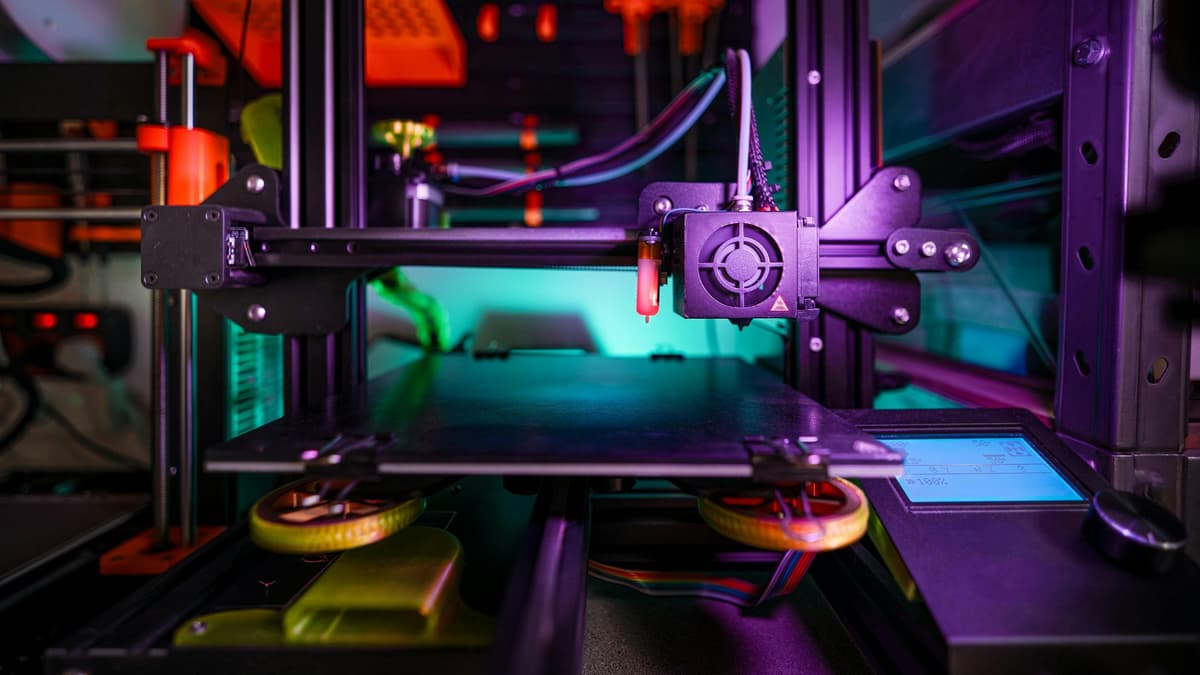
Bed leveling ensures consistent distance across the entire print surface.
Manual Leveling: The Paper Method Most printers without auto bed leveling use this method.
1. Heat your bed to printing temperature (60°C for PLA). The bed expands when hot, so cold leveling doesn't work. 2. Home all axes (usually via the menu or G28 command) 3. Disable steppers so you can move the head manually 4. Place paper (standard printer paper works) under the nozzle 5. Adjust the corner knob until you feel slight resistance when moving the paper 6. Move to each corner and repeat 7. Return to first corner and verify it hasn't changed 8. Repeat the full cycle until all corners feel identical
The paper method works but requires practice. Too tight and you'll struggle with first layers. Too loose and nothing sticks.
Auto Bed Leveling Systems The ANTCLABS BLTouch and CR Touch probe the bed at multiple points, creating a mesh that compensates for imperfections. This doesn't make your bed flat; it makes your printer compensate for unevenness. *(Price when reviewed: ~$40 | Check Price on Amazon)*
After ABL installation: 1. Set your Z-offset (distance from probe trigger point to nozzle tip) 2. Run the probing sequence 3. Save the mesh to EEPROM 4. Re-probe periodically (weekly for heavy use, monthly for occasional use)
ABL is the single best upgrade for printers without it. It removes most first-layer frustration.
Z-Offset Adjustment Even with ABL, you need correct Z-offset. This sets where "zero" actually is for your nozzle.
Too high: Filament doesn't squish, poor adhesion, prints pop off Too low: Nozzle drags, blocks filament flow, damages bed surface
Adjust in small increments (0.05mm) until your first layer looks right: slightly flattened lines that merge together without gaps or excessive squish.
Troubleshooting First Layers Lines not sticking: Bed too far, raise it or lower Z-offset Lines too squished/transparent: Bed too close, lower it or raise Z-offset Good center, bad corners: Bed not flat, use ABL mesh compensation Good corners, bad center: Bed warped, may need replacement or glass surface
When to Re-Level - After moving the printer - After removing or reinstalling the print bed - After any maintenance involving the gantry or frame - When first layers start failing consistently - With ABL: re-probe monthly or when issues appear
Bed Surfaces Different surfaces need different approaches: - PEI: The Creality PEI Sheet is popular. Clean with IPA, prints stick when hot, release when cool *(~$20 | Check Price on Amazon)* - Glass: Use hairspray or glue stick for adhesion - BuildTak/magnetic: Follow manufacturer recommendations
A clean bed is essential. Fingerprints, dust, and residue cause adhesion problems. Clean before tricky prints.
Our Advice Learn manual leveling even if you have ABL. Understanding what correct level feels like helps you troubleshoot problems. ABL compensates for imperfect technique but doesn't fix fundamental misunderstanding.
Z-Offset: The Most Important Single Setting
Bed levelling gets the bed flat. Z-offset sets the exact gap between nozzle and bed surface. Both are required for reliable first layers.
What Z-offset does: It defines where "zero" is for your nozzle, the starting height for the first layer. Even after auto bed levelling, the Z-offset must be set correctly for the levelling data to translate into a good first layer.
How to set it: Most printers allow live Z-offset adjustment during printing. Start a first-layer test (a flat 100x100mm square works well). While it prints, adjust Z-offset in 0.05mm increments.
Reading the first layer: - Lines round and separate, weak adhesion: Z too high, move closer (negative direction) - Lines merged together, slight squish visible: Correct - Lines spreading sideways, almost transparent: Slightly too close, move away - Nozzle dragging, grinding sounds: Way too close, stop immediately
The "thumb test": After printing the first layer, try to slide a fingernail under a filament line. Good Z-offset: the line resists and you can't get under it. Too high: the line lifts easily. Too low: the bed surface is damaged.
Saving the offset: Once correct, save the Z-offset to EEPROM (usually under Settings > Store Settings, or M500 in terminal). It persists through power cycles. Re-run the calibration process if: you change nozzles, remove and reinstall the bed, move the printer, or notice first layer quality degrading.
Troubleshooting Bed Adhesion
Problem: Print sticks initially then detaches mid-print - Cause: First few layers adhered but subsequent thermal contraction as the print cools pulled it off - Fix: Increase bed temperature by 5°C; eliminate drafts from fans or air vents; try a brim in the slicer (extends first layer area, resists warping forces)
Problem: Centre sticks, corners lift - Cause: Bed is concave (common on glass beds), centre is closer to nozzle than corners - Fix: Auto bed levelling with mesh compensation addresses this; manually, use a shim under the bed spring at the high corners
Problem: Corners stick, centre peels - Cause: Bed is convex - Fix: ABL mesh compensation; reduce bed temperature slightly; ensure bed is clean
Problem: Nothing sticks regardless of settings - Cause: Contaminated bed surface (fingerprints, grease, residue) - Fix: Clean thoroughly with IPA on a clean cloth; wash PEI with mild dish soap and warm water, rinse fully, dry before use
**Problem: PETG won't release when cool, tears the PEI surface** - Cause: PETG bonds chemically with PEI when no release agent is used - Fix: Apply a thin layer of glue stick before every PETG print; let the print cool completely before removing; use a flexible PEI sheet so you can flex it to release
First Layer Reference: Material by Material
| Material | Bed Temp | Adhesive | Notes |
|---|---|---|---|
| PLA | 55–60°C | None on PEI | Clean surface essential |
| PETG | 70–85°C | Glue stick on PEI | Glue prevents over-bonding |
| ABS | 100–110°C | Glue stick or ABS slurry | Enclosure required |
| TPU | 40–50°C | None usually | Clean PEI grips well |
| ASA | 90–110°C | Glue stick | Enclosure recommended |
| Nylon | 70–90°C | Glue stick | Dry filament mandatory |
Temperature matters after printing too: PEI releases prints better when cool. For PLA, wait until the bed is below 35°C. For PETG, wait until fully room temperature. Forcing prints off a hot bed bends the print and risks damaging the surface.
Got an Ender 3? The V3 SE and newer models include auto leveling as standard. See our Ender 3 comparison for which models have it.
Tramming vs Mesh Bed Leveling: Understanding the Difference
These two concepts address different problems and are best used together, not as alternatives.
Tramming (often incorrectly called "manual leveling") means adjusting the bed until it is mechanically parallel to the X gantry. Four adjustment knobs under the bed corners control this. A perfectly trammed bed is flat relative to the print head's motion plane. This is a physical mechanical adjustment, not a software compensation.
Mesh bed leveling (ABL with BLTouch, CR Touch, inductive probe) measures the actual bed surface at multiple points and builds a height map. The printer uses this map to move the Z axis up and down during printing to compensate for warps, high spots, and low spots in the bed surface itself. This is a software compensation applied over whatever physical tram you've achieved.
The correct workflow: tram first, then apply mesh compensation. If your bed is badly out of tram (one corner 2mm different from another), even a 9x9 mesh will struggle to produce consistent first layers. Get the physical alignment close (all four corners within 0.2mm of the same gap), then let the ABL handle remaining surface imperfections.
Auto-leveling does not replace tramming. This is the most common misunderstanding. A CR Touch on an out-of-tram bed still produces uneven first layers because the mesh compensation has limited Z range and the firmware can't fully compensate for large mechanical misalignments.
ABL Sensor Comparison
BLTouch (original, from Antclabs): The established standard. Uses a retractable pin to probe the bed surface mechanically. Works on glass, PEI, textured surfaces, and magnetic sheets. Reliable and well-supported in Marlin firmware. (Price when reviewed: ~$40 | Check Price on Amazon)
CR Touch (Creality): Creality's BLTouch-compatible implementation with a metal pin instead of plastic. Generally considered more durable. Pre-configured for Creality printers, making installation simpler. (Price when reviewed: ~$30 | Check Price on Amazon)
Inductive probes (PL-08N, LJ12A3): Work only on conductive metal bed surfaces. Fast and durable, but limited surface compatibility. Common on some Chinese-brand printers and popular in the DIY Voron community. Not suitable for glass beds.
PINDA (Prusa): Prusa-specific probe that measures both bed position and temperature compensation. Deeply integrated with Prusa firmware and provides consistent results. Not transplantable to other printer brands without significant effort.
Klicky and Euclid probes: Popular in the Voron and high-performance printer community. Magnetically attached probes that dock/undock automatically. Extremely reliable and compatible with Klipper firmware's advanced probe calibration.
For most users on Ender 3 or similar Creality printers: the CR Touch is the default recommendation. Pre-configured firmware variants exist and installation is documented extensively.
Z Offset: The Most Important Setting After Leveling
The Z offset sets the distance between the nozzle and bed surface at the home position. This single setting determines first-layer quality more than any other software parameter.
Too high Z offset: Nozzle too far from bed. Lines don't stick to each other, first layer looks like spaghetti, prints detach early in the print.
Too low Z offset: Nozzle dragging through previously laid material, scraping sounds, first layer is crushed flat, extreme over-adhesion (prints won't release from bed).
Correct Z offset: Lines spread slightly as they're laid down, individual lines are visible but pressed firmly together, a finger pressed over a cooling first layer feels lightly textured rather than rough. The "squish test" is the practical calibration: a single first-layer square printed live while you adjust Z offset until the surface looks and feels right.
When you install a new bed surface (glass to PEI, smooth to textured), recalibrate your Z offset, different surfaces have different heights at the same probe point. Most automated systems use a Z offset that's relative to the probe trigger point, which remains constant while the surface height changes.
First-Layer Troubleshooting by Symptom
| Symptom | Most Likely Cause | Fix |
|---|---|---|
| One corner detaching only | Bed out of tram | Re-tram, lower that corner |
| All corners fine, center detaching | Bed warped (concave) | ABL mesh compensation |
| First layer dragging in one axis direction | Gantry not square to bed | Check and adjust gantry |
| Inconsistent adhesion same area every print | Bed contamination (oil, debris) | IPA clean that area |
| Nothing sticking at all | Z offset too high | Decrease Z offset (closer) |
| Nozzle scraping | Z offset too low | Increase Z offset (further) |
| Lines not joining, gaps between | Under-extruding OR Z too high | Check extrusion multiplier and Z offset |
| Elephant foot (first layers too wide) | Z too low OR initial layer flow too high | Raise Z offset, reduce initial layer flow |
Bed Surfaces: Choosing the Right One
Glass: Produces the flattest print surface. Bottom surface of prints is mirror-smooth. Disadvantages: no texture for grip (needs hairspray or glue stick for most materials), heavy, thermal shock risk. Good for decorative prints where a smooth bottom matters.
Smooth PEI: Original PEI sheet. Good adhesion when warm, easy release when cool. Produces semi-glossy bottom surfaces. The classic 3D printing bed surface for a reason.
Textured/rough PEI (spring steel): The current standard recommendation. PEI with a textured surface produces a textured bottom on prints, grips well without any adhesion aids for PLA and PETG, releases prints easily when the sheet cools and flexes. The Creality Ender 3 PEI Spring Steel Sheet is the most popular upgrade for Creality printers. *(Price when reviewed: ~$22 | Check Price on Amazon)*
Garolite (G-10): Used for nylon and carbon fiber composite materials where PEI adhesion is too low. Niche use case, not needed for standard PLA/PETG/ABS printing.
Bed surface maintenance: IPA (isopropyl alcohol) cleans oil from the surface. Avoid touching the print area with bare hands before printing, finger oils reduce adhesion. Rough PEI can be refreshed with light sanding (400-600 grit) when it loses grip over time.
Saving and Loading Bed Mesh Profiles
Most ABL-equipped printers with Marlin or Klipper firmware can save multiple bed mesh profiles and load them automatically before each print.
In Marlin: After running
Bed leveling is not a one-time calibration, it's a recurring maintenance task. Check your first layer at the start of each print session, especially after moving the printer, changing print surfaces, or any disassembly. The few seconds of observation before a long print is the most reliable quality assurance step in FDM printing. Consistent first layers mean consistent prints, and consistent prints mean fewer failures, less wasted material, and more satisfying results. Once the process becomes habitual, a good first layer takes less than five minutes to verify and saves hours of reprinting.
First layer quality is the most visible indicator of printer health. When a printer that previously produced excellent first layers starts showing inconsistency, bed leveling is the first place to check, but worn wheels, stretched belts, and loose frame joints also manifest in first-layer quality. Bed leveling is the diagnosis entry point, not necessarily the only fix required.'G29' (ABL mesh), save with 'M500'. The mesh loads automatically at next startup if your start G-code includes 'M420 S1' after 'G28' (home).
In Klipper: Use 'BED_MESH_CALIBRATE' to generate a mesh, then 'BED_MESH_PROFILE SAVE=default' to save it. Add 'BED_MESH_PROFILE LOAD=default' to your print start macro. Klipper allows multiple named profiles for different surfaces or temperature conditions.
Regenerate your bed mesh if you: swap the print surface, change the bed temperature significantly, reassemble the printer, or notice the first layer becoming inconsistent despite a recent level. A saved mesh from three months ago may no longer reflect the current bed state accurately.
As an Amazon Associate, we earn from qualifying purchases.